

Viewing logs
To view logs for an application, navigate to the Logs tab on the application detail page. By default, logs stream in real time as your application produces output.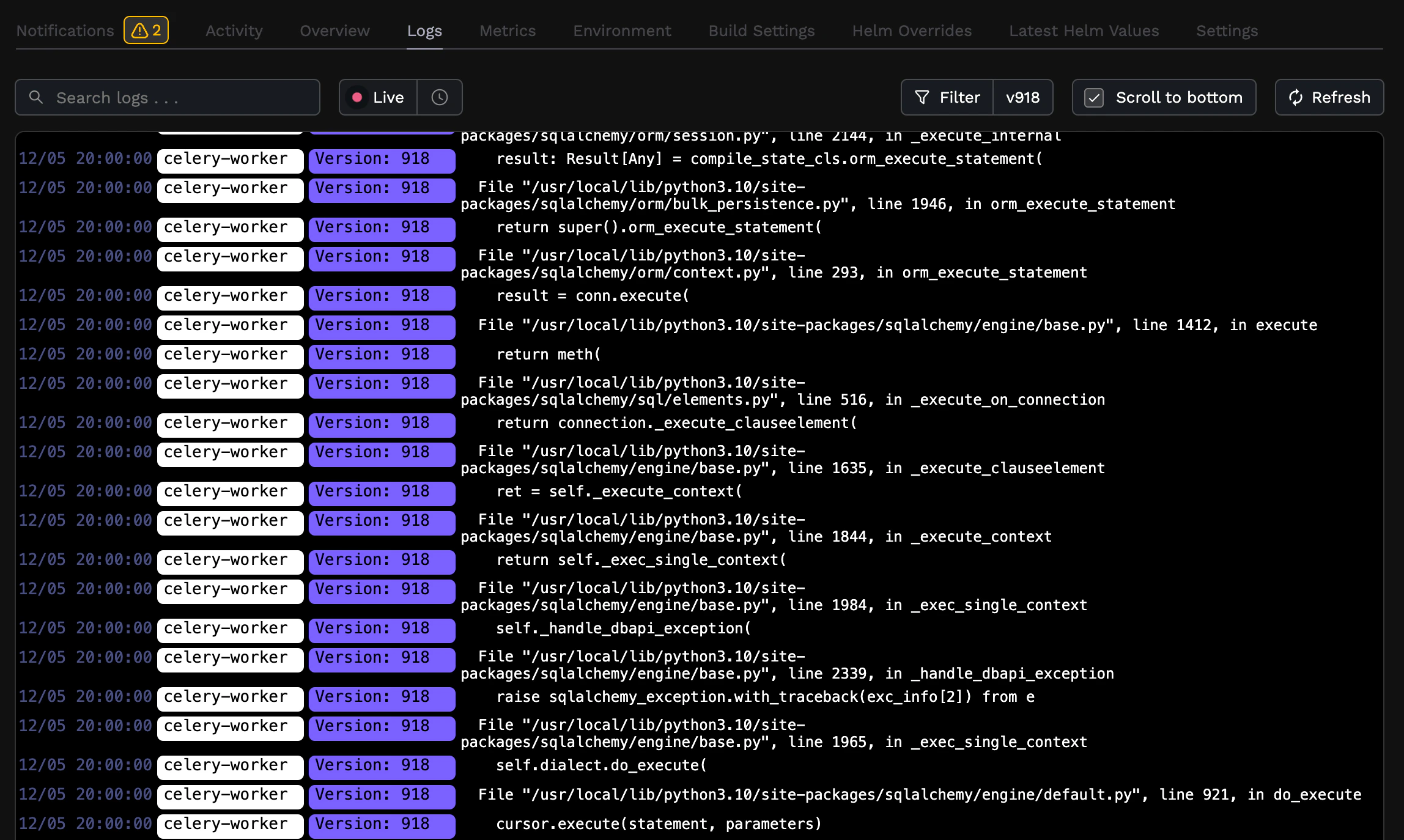
Filtering logs
The log viewer toolbar provides several filtering options:- Search — filter logs by keyword using the search input
- Service — narrow logs to a specific service (e.g.,
web,worker) - Revision — view logs from a specific deployment revision
Filtering by time range
You can filter logs to a specific time window using the time range selector next to the search bar. Click the time range button to open the filter, which includes preset options and custom date-time controls.Presets
Select a preset to quickly jump to a recent time window:- Last 1h — logs from the past hour
- Last 1d — logs from the past day
- Last 7d — logs from the past 7 days
Custom time range
To filter logs to an exact time window, set a custom start and end time. Each row includes a date picker and a time input where you can type a precise time down to the minute. For example, to view logs from a specific 15-minute window:- Click the time range selector to open the filter.
- Set the start date and start time to the beginning of the window (e.g.,
2:15 PM). - Set the end date and end time to the end of the window (e.g.,
2:30 PM).
You cannot select future dates or times. When the start and end dates are the same day, the end time must be after the start time.